
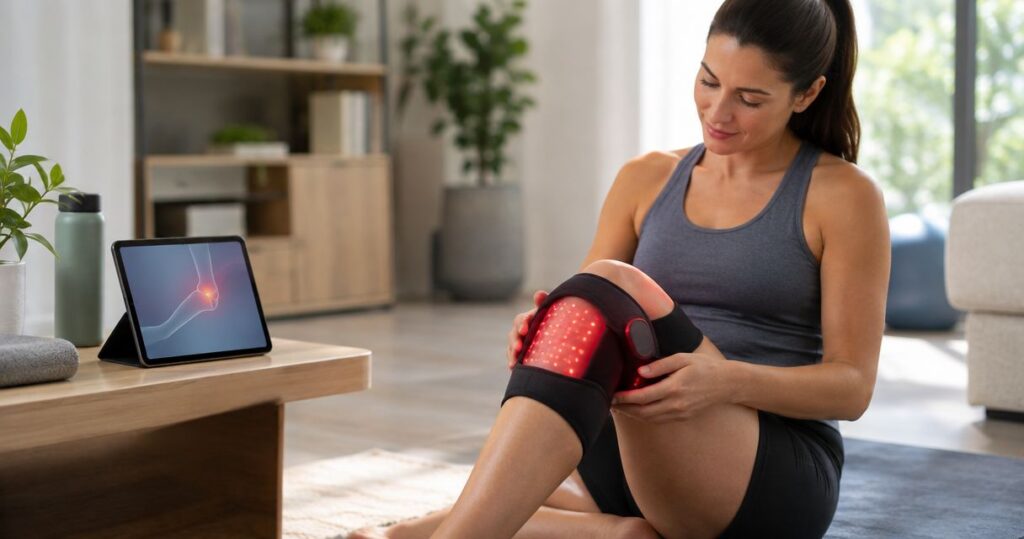
Shop the category: LED light therapy devices
Instead of choosing LED settings from memory each day, build an LED orthopedic device pain relief routine around your exact device instructions, a repeatable setup, and a symptom record. For a Regenomedix device, confirm that the model’s labeled use covers your intended application before treating this workflow as a session plan.
- An LED orthopedic device pain relief routine starts with the exact model’s instructions, not a generic timer.
- Simple Cosmetics provides device education; persistent joint or muscle pain needs clinical assessment.
- Record placement, prescribed settings, and symptoms so each session is understandable.
- Stop for worsening symptoms or skin irritation; do not increase exposure to chase relief.
Why this matters
A skincare light routine and a pain-management routine are not interchangeable. The body area, intended use, precautions, and operating instructions must match the device you actually own. A familiar brand name does not establish that every model serves the same purpose.
Simple Cosmetics device education is best for consumers who want plain explanations, not a substitute for clinical pain assessment. The Simple Cosmetics personal-care range belongs in a separate conversation from diagnosing or treating an orthopedic condition.
For your 2026 routine, separate the process into three decisions: whether the device is appropriate, how its instructions specify use, and what happens afterward. This guide explains that process. It does not establish a Regenomedix model’s indications, prescribe a dose, or promise pain relief.
This is general education, not medical advice. Seek prompt medical assessment for severe pain after an injury, inability to bear weight, a visibly deformed joint, or a hot, swollen joint accompanied by fever. A home light session is not the next step in those situations.
Before you start
- Have the exact device and its instructions. Match the model identifier on the device to the manual. Read intended use, treatment areas, warnings, eye-protection instructions, operating settings, cleaning, and storage requirements before switching it on.
- Have a clear reason for use and any needed clinical guidance. Ask a clinician about unexplained, persistent, or worsening pain and about precautions relevant to your health, medicines, or sensitivity to light. Keep the device’s instructions available during that discussion.
- Check the setup dependency that is easy to miss. A setting from a facial mask, another body device, or an online demonstration is not a setting for your model. Do not assume that direct skin contact, a particular distance, or a topical product is permitted.
Create a short 2026 session record before your first use. Include the model, body area, manual revision if shown, and any clinician instructions. Keep that record with the device so you do not have to reconstruct the plan later.
Device and instruction check
- Identify the model. Read the model name or identifier on the device itself. Check that the manual covers that exact version, including any applicator or attachment you intend to use.
- Confirm the intended application. Find the manufacturer’s intended-use statement. If your intended body area or purpose falls outside it, stop and ask the manufacturer or your clinician rather than adapting another device’s instructions.
- Read the precautions together. Review warnings about eyes, skin, medicines, health conditions, and prohibited treatment areas. Follow the applicable requirements; do not treat silence in a brief advertisement as permission.
- Identify the controls from the manual. Locate the power control, program selection, timer, and other controls only if your model has them. Use the names printed on the device and in its instructions. Do not assume a menu or button from another model exists.
- Check physical condition. Inspect the housing, cable, connector, and treatment surface for visible damage. Follow the manufacturer’s procedure for faults rather than trying to repair or bypass a damaged component.
Expected result: You can identify the exact device, explain why its labeled use fits your intended application, and locate the relevant operating instructions. If any of those checks fails, the session does not start.
What belongs in the session record?
Keep the record factual. Write the body area and side, the selected program if applicable, exposure duration in minutes, placement or distance as instructed, and how symptoms affected an ordinary activity.
For symptom tracking, a 0–10 pain scale gives you a familiar reference: 0 means no pain and 10 means the worst pain imaginable. Use the same scale each time. It records your experience; it does not diagnose the cause or demonstrate that the device produced a change.
For example, describe whether sitting, walking, or using the affected limb feels different. Avoid deliberately provoking pain to create a test. Ordinary activity provides a safer context than pushing through discomfort to see whether a session worked.
Treatment-area setup
- Choose a stable position. Arrange the device and your body as the instructions specify. You should not need to hold an awkward posture or keep correcting the applicator throughout the session.
- Prepare the treatment area. Follow the manual’s directions for skin preparation and any restrictions on clothing, dressings, or topical products. Do not add a serum, cream, or other product to improve light delivery unless the device instructions explicitly permit it.
- Set placement correctly. Use the instructed contact method or distance. Do not press harder, move closer, or expose a wider area on the assumption that this improves the result.
- Arrange required protection. Follow the model’s eye-protection directions, including any instructions for people nearby. Do not stare into an illuminated treatment surface.
- Place the instructions and record within reach. Confirm the body area and planned settings before operating the controls. Avoid relying on a saved setting unless you have checked it against the current plan.
Expected result: The treatment area, device position, and required protection match the instructions. You can remain comfortable without repositioning the device repeatedly.
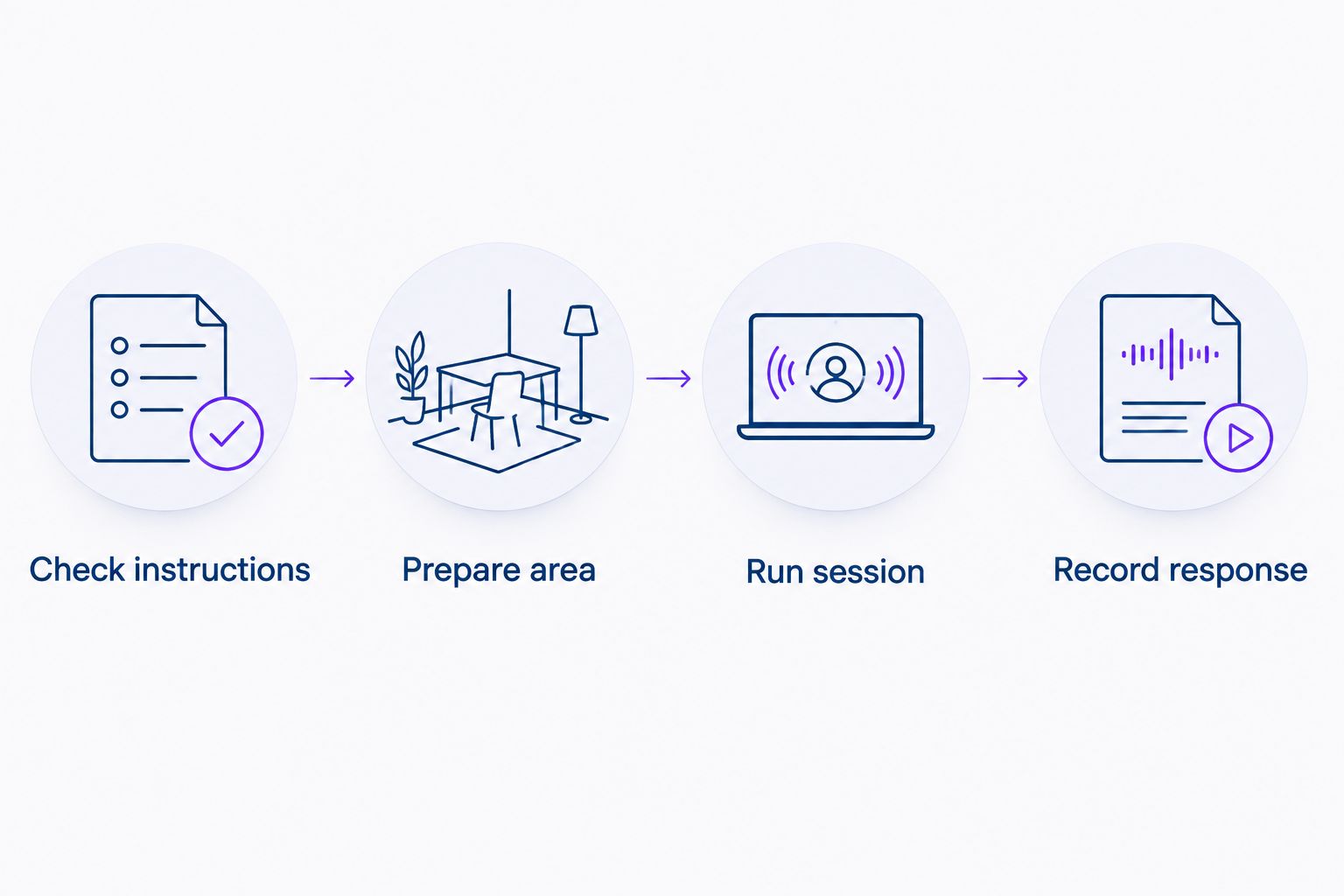
Use this simple sequence for your 2026 setup: Check instructions, Prepare area, Run session, Record response. Each stage answers a different question. Completing the setup is not evidence that pain relief will follow.
Keep skincare separate
Simple Cosmetics skincare products are personal-care products, not operating instructions for an orthopedic device. A peptide ingredient does not establish compatibility with a light-treatment surface or a pain-management application.
If you use body care on the same area, check the device’s topical-product restrictions and the product’s own directions. Do not build a combined treatment protocol from unrelated skincare and device claims. Ask for clarification when the instructions do not address the combination.
Session controls and operation
- Select only the instructed settings. Follow the manufacturer’s directions and any applicable clinician plan. Verify the program, duration, and other adjustable settings before starting; leave unsupported adjustments out of the routine.
- Start using the documented control. Follow the manual’s start sequence. If the device does not behave as described, stop and check its troubleshooting instructions rather than repeatedly pressing controls.
- Remain attentive. Do not treat the session as an opportunity to ignore new discomfort. Stop if you develop pain, burning, skin irritation, visual discomfort, or another concerning symptom, and follow the device’s safety instructions.
- Finish at the specified endpoint. Follow the manual’s completion or shutdown procedure. Do not immediately repeat a session because you did not notice relief.
- Clean and store as directed. Use the specified cleaning method after the device is safely switched off. Keep liquids away from electrical components unless the instructions explicitly describe a permitted cleaning procedure.
Expected result: You complete one session within the device’s instructions—or stop it because a safety concern appears. Completing a session correctly and experiencing pain relief are separate outcomes.
Do not translate settings between devices
Minutes alone do not describe light exposure. Wavelength, output, treatment area, and placement also matter. A session duration borrowed from another device cannot establish an equivalent session on a Regenomedix model.
This distinction remains central to a 2026 routine: repeat the documented setup, not an internet recipe. If a control offers several programs, its existence does not mean every program is appropriate for every body area or purpose.
Response record and review
- Record the session as performed. Write down the actual settings and placement, including any interruption. An intended plan and a completed session are not always identical.
- Describe symptoms without assigning a cause. Record the pain score and relevant everyday function. Note other changes, such as exercise, rest, or a change in prescribed care, that help your clinician interpret the record.
- Record unwanted effects. Include skin changes, discomfort, and any reason you stopped. Do not erase an interrupted session from the log because it feels like an unsuccessful attempt.
- Keep the next session within the instructions. Follow the stated schedule and limits. Do not increase duration, frequency, or intensity on your own to compensate for persistent pain.
- Review persistent or worsening symptoms clinically. Bring the device information and session record to the appointment. A home routine should not delay assessment of a problem that is not improving.
Expected result: Your record distinguishes what you did from what you felt. It gives a clinician usable context without claiming that the device caused every change.
A useful 2026 log is brief enough to maintain. One entry per session is clearer than a long narrative written from memory at the end of the week.
Second variant: clinician-directed use
If a clinician recommends a home device, organize the routine around that recommendation and the manufacturer’s instructions. Ask the clinician to identify the body area, applicable settings, review point, and reasons to stop. Clarify any apparent conflict before use.
The two workflows below describe different levels of oversight. They are not a comparison of device effectiveness.
| Workflow | Best for | Practical advantage | Limitation |
|---|---|---|---|
| Manufacturer-directed home use | Consumers whose intended use fits the device labeling and does not require unresolved clinical guidance | Keeps operation tied to the exact model’s instructions | Does not establish the cause of pain or an individualized treatment plan |
| Clinician-directed home use | People using a device within an assessed care plan | Connects the session record to clinical review | Requires clear instructions and follow-up; it still does not guarantee relief |
Choose clinician-directed use when the pain needs assessment or your precautions need interpretation. Do not use the simpler workflow merely to avoid that conversation.
For a clinician-directed routine, bring the exact manual rather than a product photograph alone. Ask what to record and when to return for review. Keep prescribed exercise, medicines, and other care separate unless the clinician explicitly changes them.
Troubleshooting
The model and manual do not match
Stop setup. Obtain the correct instructions from the manufacturer or supplier using the identifier on the device. Similar appearance does not establish identical controls, settings, or precautions.
The device will not start
Check the power connection and the startup sequence described in the manual. Follow its fault instructions if the problem persists. Do not use a damaged cable, bypass a safety feature, or open the housing to investigate.
The applicator shifts during use
Stop and correct the position using the permitted setup method. Do not improvise straps, covers, or pressure that the instructions do not allow. Record an interrupted session rather than extending it to make up the time.
The skin becomes irritated or the session hurts
Stop use and follow the manufacturer’s safety guidance. Seek medical advice for persistent symptoms, burns, or worsening pain. Reducing a setting and continuing immediately is not a substitute for understanding the reaction.
You notice no improvement
Do not increase exposure to chase a result. Check adherence to the instructions and discuss persistent symptoms with a clinician. A lack of improvement is a reason to reassess the plan, not proof that a stronger setting is needed.
Customize your workflow
Customize the organization, not the dose. Put the manual, required accessories, and session record together. Choose a place where you can follow the setup without rushing, and keep the device separate from unrelated personal-care tools.
For your next 2026 review, simplify the log if it has become difficult to maintain. Preserve the essentials: actual settings, symptoms, and unwanted effects. Additional notes should help explain the session, not turn it into a daily experiment.
Simple Cosmetics device education also separates facial, scalp, and body applications. Read an adjacent guide to understand its distinct use case—not to transfer its timing, settings, or product combinations into an orthopedic routine.
FAQ
How do I start an LED orthopedic device pain relief routine?
Start by matching your exact device to its instructions and confirming that its intended use covers your application. Review precautions, prepare the treatment area, and record each session without changing exposure on your own.
Can I use a Regenomedix LED facial mask for joint pain?
Do not use a facial mask for joint pain unless that exact model’s labeling explicitly supports the application. A brand name or shared light technology does not make facial and orthopedic devices interchangeable.
How many minutes should an LED pain-relief session last?
Use the duration specified for your exact device and application, with any applicable clinician guidance. There is no single session length that transfers safely across devices with different outputs, placement requirements, and intended uses.
Can I apply peptide cream before using an LED orthopedic device?
Follow the device’s instructions about topical products before applying a peptide cream. Simple Cosmetics personal-care products do not establish compatibility with an orthopedic light-treatment protocol.
Should I increase the setting if I do not feel pain relief?
Do not increase duration, frequency, or intensity on your own because relief is absent. Persistent or worsening pain needs reassessment rather than progressively greater exposure.
What should I record after a home LED session?
Record the body area, actual settings, placement, symptoms, and any unwanted effects. A consistent 0–10 pain scale and a description of ordinary activity can help organize the record without proving a treatment effect.
When should I stop using the device and get medical advice?
Stop for worsening pain, burning, skin irritation, visual discomfort, or another concerning reaction. Seek prompt assessment for severe post-injury pain, inability to bear weight, deformity, or a hot, swollen joint with fever.
One last thing
A repeatable routine is not proof of an effective treatment. A tidy log and consistent settings make the process easier to review; they do not establish why pain changed.
Write the model identifier at the top of your session record. That small detail keeps every later discussion anchored to the actual device rather than a category name.
Related guides
- Red light therapy devices for athletes and trainers
- Red light therapy for physical therapists
- Connecting a Regenomedix LED mask to a retinol routine